After importing one or more Menu Mix files, based on your Preference settings you may have auto-generated system records for recipes that do not currently exist in the system. If any of these recipes should contain components that need to be depleted, you must complete the following steps to finish configuring the recipe and ensure that those components are depleted properly. {Note}
- You need to Undo your Menu Mix file(s).
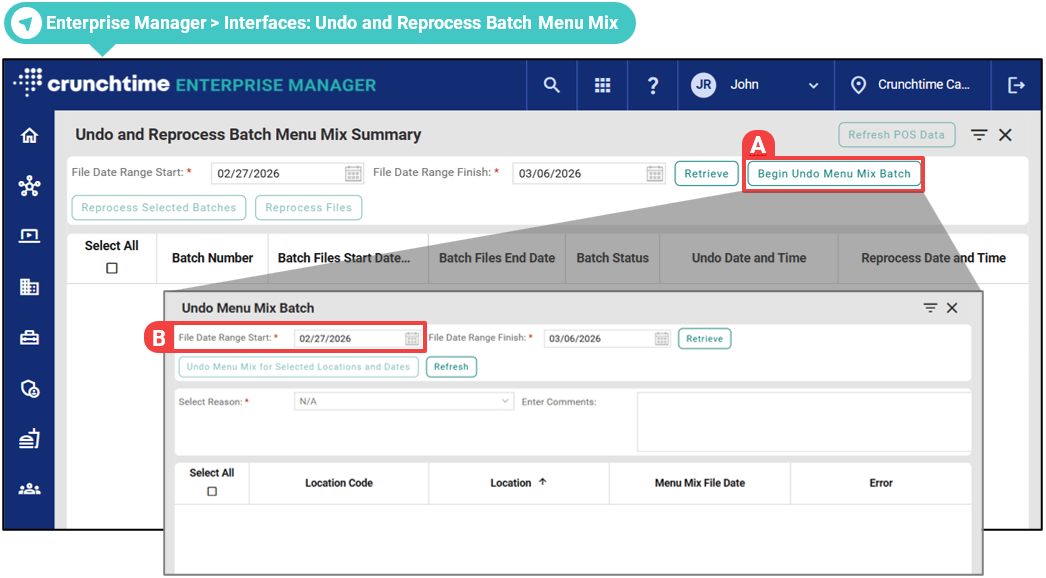
- Click Begin Undo Menu Mix Batch.
- For the File Date Range Start/Finish, you should select all days ≥ the date you got the notification email or the issue first occurred.
- You need to add the appropriate Components to your recipe(s).
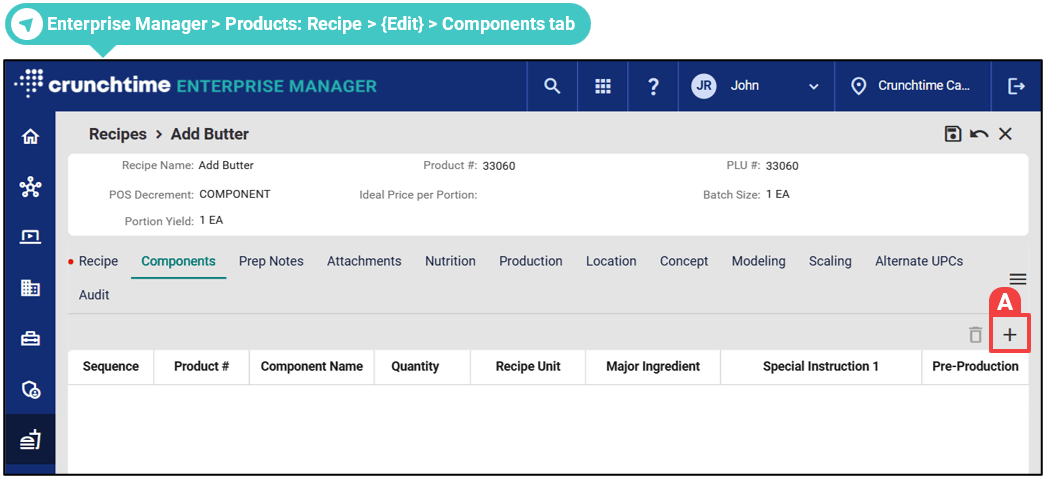
- Click the Plus (Add) icon to get started.
- [Optional] - You might want to add Prep Notes to the recipe(s).
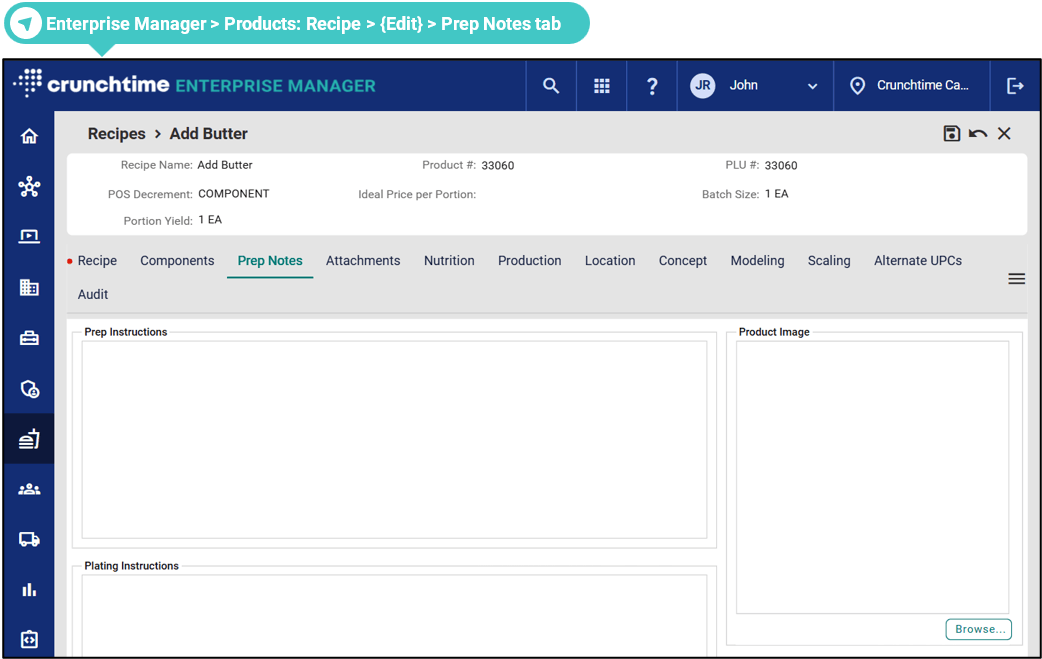
- You can enter Prep Instructions, Plating Instructions or upload a Product Image - JPEG (.jpeg or .jpg) only.
- [Optional] - If you want the recipe(s) to appear on the Net-Chef Prep Reports, you should define the related Production settings.
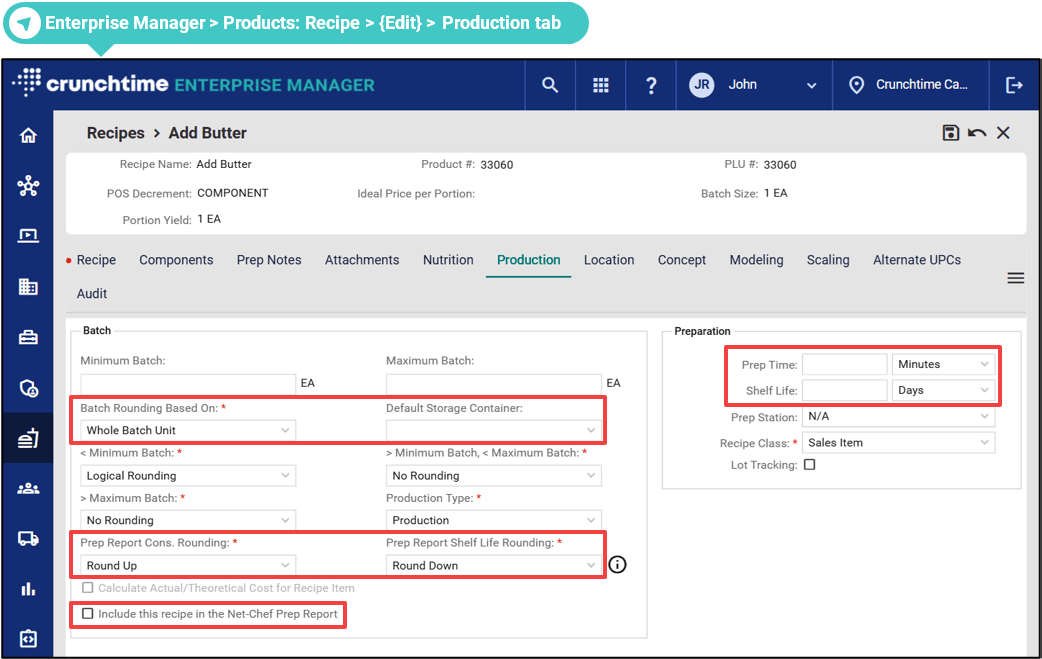
- See the outlined fields above.
- [Optional] - You can also define Location-specific settings, like 'PLU #', 'Recipe Price', or 'Include in Prep Report'. These will appear in the Recipe Margin Report.
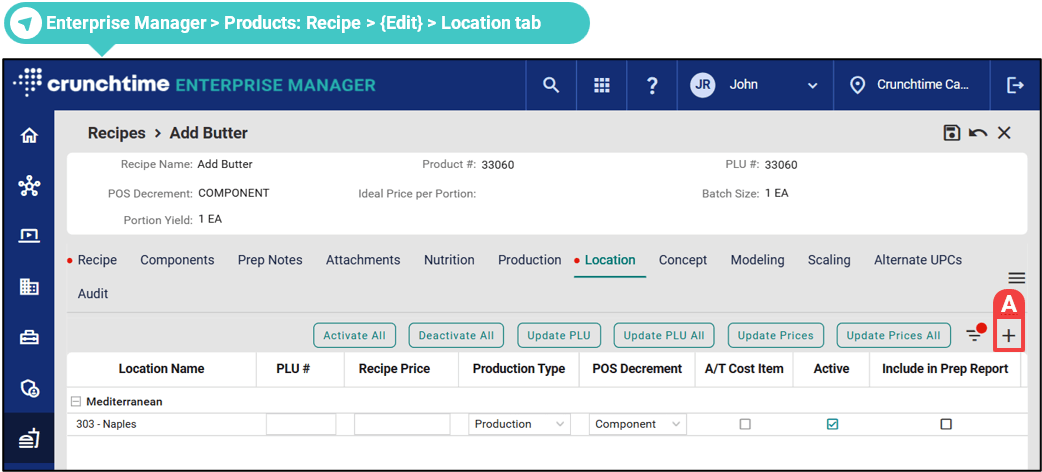
- Click the Plus (Add) icon to get started.
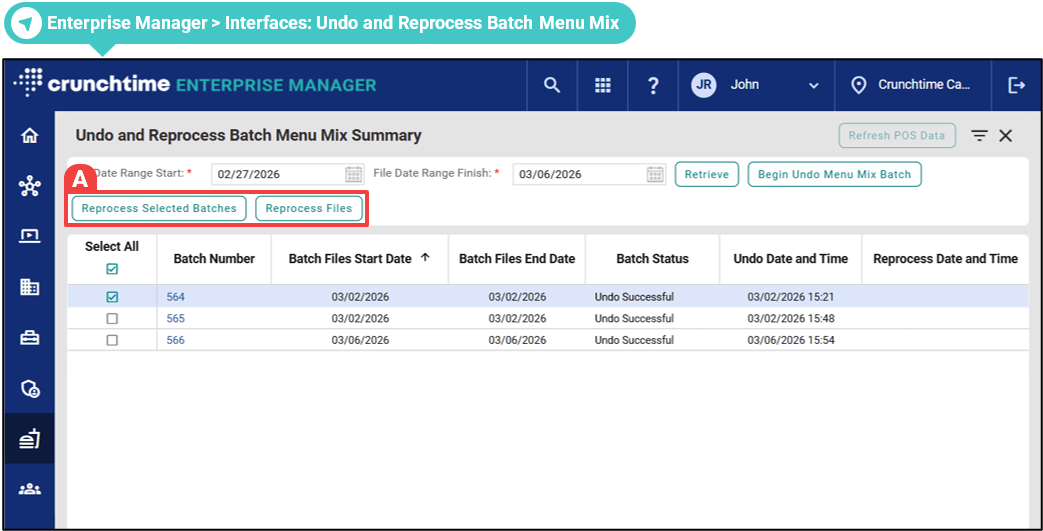
- Choose Reprocess Files or select one or more batches and choose Reprocess Selected Batches to begin.