When a new customer order is created, the application automatically populates the Expected Delivery Price field for each product. This price is based on a number of Setup fields and can vary from one customer to another for the same product. The following mark-up scenario illustrates the setup for a supply location (commissary or warehouse) and an ordering location (store or ship).
To determine what price to charge to a customer for each product, the application looks to the following information in this sequence.
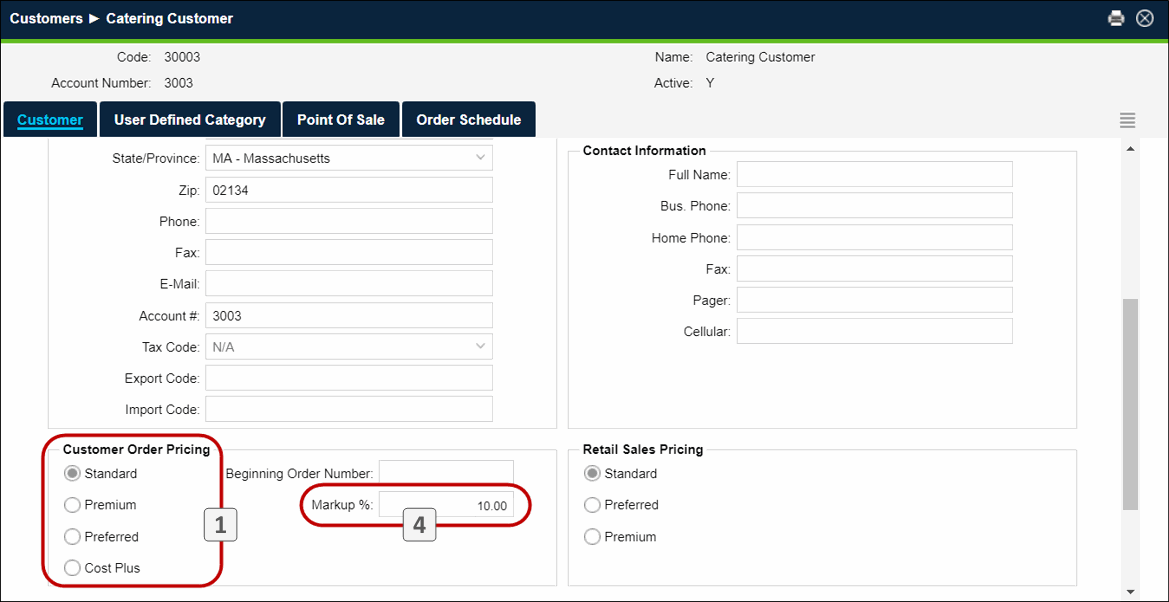
- In the Customer Details the ordering location’s customer record screen, is assigned to one of four Customer Order Pricing types. "Cost Plus" is the default selection when a new customer is added to the system. In this example, the customer’s pricing type is "Standard".
- This pricing type corresponds to the Customer Order Pricing for Customer Type values defined in the Location Product Details screen at the location issuing the products. In this example, the "Standard" price is $14.00, so the application will use this as the base price for the product.
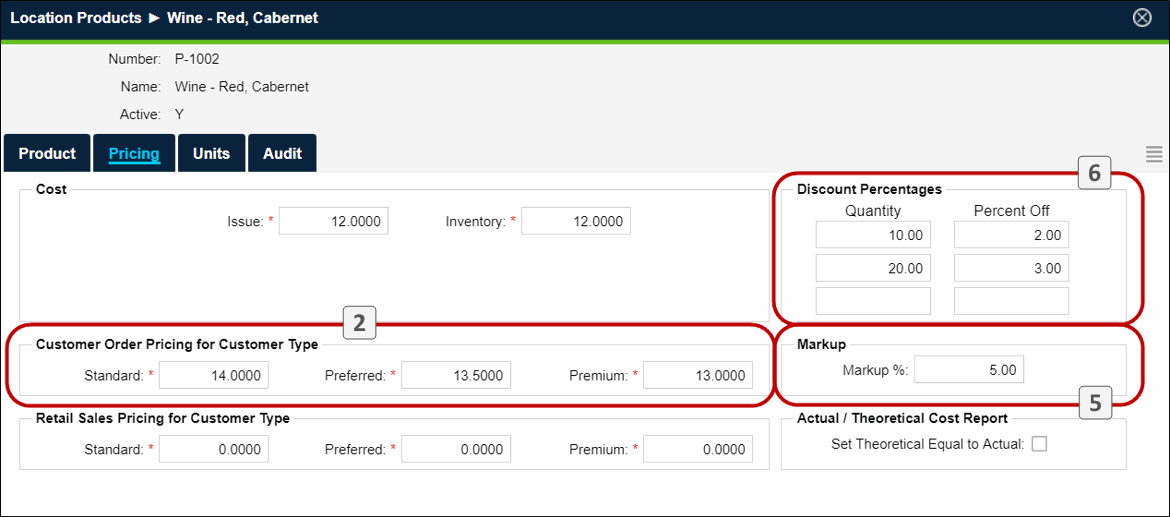
Note: If the customer’s Customer Order Pricing type is "Cost Plus", the Issue Cost will be used.
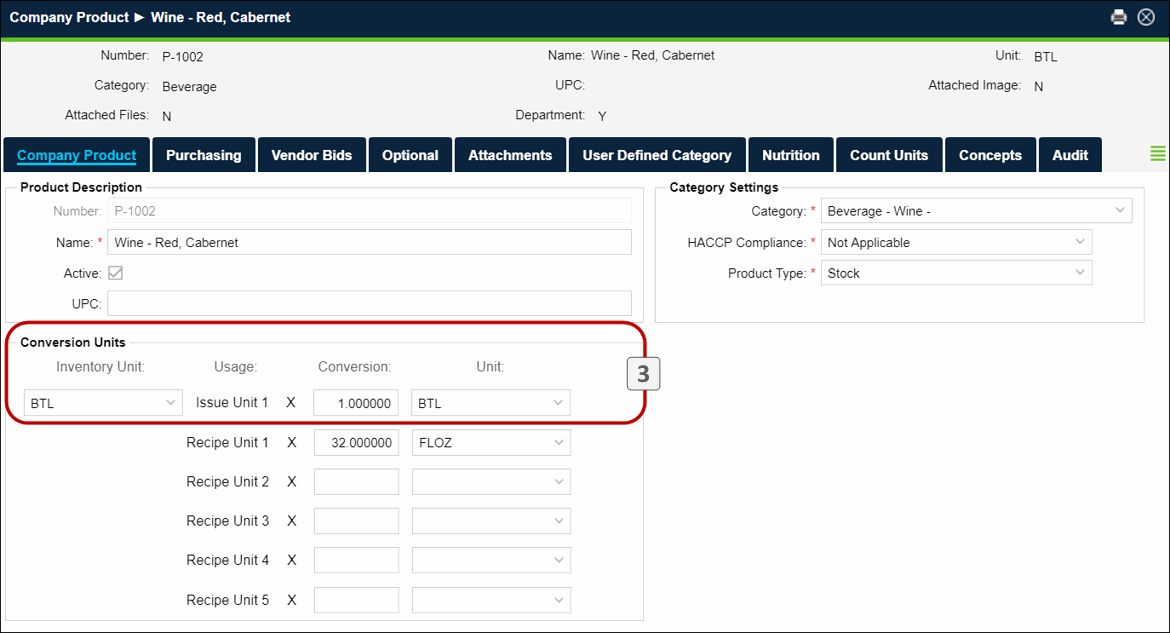
- Next the application looks at the Company Product Conversion Units to convert inventory units to issue units. The price established in step 2 (above) is divided by the conversion factor to determine the price in issue units. In this example, the Issue Unit is the same as the Inventory Unit and the conversion is '1' so the price thus far remains $14.00.
- Next the price is marked up by the Customer Markup Percentage indicated in the Customer Details of the ordering location’s customer record. This mark-up applies to all products ordered by this customer. In the first screen above , the customer markup is 10%, so the price is now $14.00 plus 10%, or $15.40.
- Next the price is marked up by the Location Product Markup Percentage indicated in the Location Product Details screen at the location issuing the products. This markup applies to this product when ordered by any customer. In the second screen above, the location product markup is 5%, so the price becomes $15.40 plus 5%, or $16.17
- Finally, any applicable Discount Percentages indicated in the Location Product Detailsscreen at the location issuing the products are deducted from the price. In the second screen above , customers that order 10 or more units of this product receive a 2% discount. If this customer ordered 12 bottles, the price per bottle would be $16.17 minus 2%, or $15.85 (rounded)
Note: Taxation, when applicable, is applied during invoicing. Therefore, the "Expected Delivery Price" shown when creating the order is the pre-tax amount.
 Related Topics