Inventory may be unposted, however this should only be done when ABSOLUTELY necessary. This process can only be performed for the last posted period; it cannot be performed for periods prior to it. When Inventory is unposted, transaction and inventory data for that period can be edited, so the Final for Post inventory must be re-reviewed prior to re-posting.
A period CANNOT be unposted if:
- Inventory data for the location has been exported for that Post period.
- Inventory data for a scheduled event has been saved for the current period.
If a period is unposted, the Inventory Cost for each product is reset to the stored cost from the period just unposted, so that when the period is re-posted the correct values will be used.
- From the Administration menu, click Unpost Period.
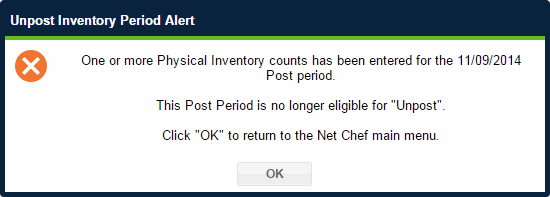
- If ANY scheduled inventory event has been saved for the current (unposted) Post period, the following message will appear:
- If NO scheduled inventory events have been saved for the current (unposted) period, a message will appear giving the date of the last posted period.

- Click Continue. A confirmation message will appear when the period has been unposted.
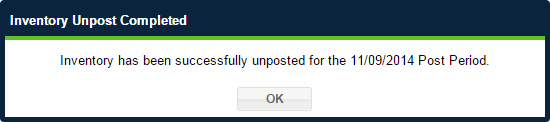
- In the confirmation message, click OK to return to the Administration Overview page.
Note: An Inventory period that has been unposted can be re-posted by following the usual posting steps. The "Final for Post"inventory for the period must be re-reviewed before the period can be re-posted.
 Related Topics