Location Product Deactivation
The
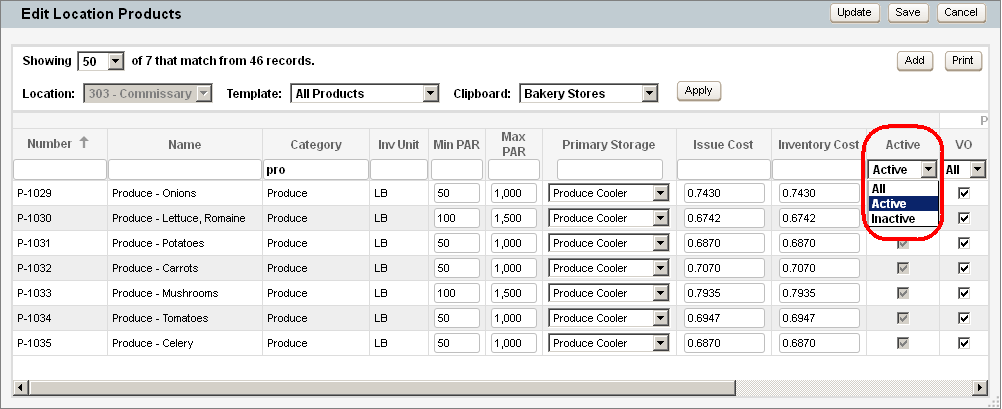
- Click the Active check box to activate an inactive location product.
Automatic Deactivation
Any location product remains active as long as there is a quantity of that product in the location’s inventory and/or the product is included in transactions. If the on-hand quantity reaches zero and stays at zero, AND the product is not purchased, issued or transferred for a designated number of post periods then the location product will become inactive. The number of post periods is set by Corporate in the General Preferences screen (Corporate | Preferences | General) with the "Deactivate Products after ___ Post Cycles" setting.
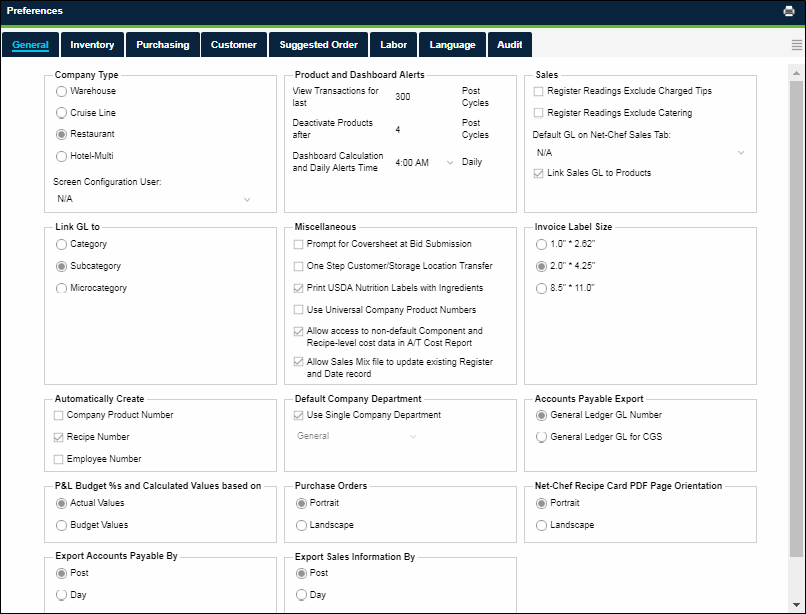
In the example above, location products at each location are deactivated if the following criteria are met for 4 consecutive post periods:
- The quantity of the product in inventory is zero (0).
- The product is not involved in any transactions (e.g. purchases from vendors, issues to customers, location or storage transfers, etc).
What does it mean?
Once a location product is deactivated in this way, the following becomes true AT THAT LOCATION ONLY:
- It no longer appears on inventory count sheets or the Inventory screen.
- It is no longer available to be issued to customers.
Note: A Location Product will not be deactivated in its primary storage if there are quantities or activity for this product in other storage locations.
 Related Topics