Assigning Base Currencies
- The Corporate Base Currency is the currency the corporate office uses in its bookkeeping and is assigned in the Company Setup screen. (Corporate > Company)

- The Location Base Currency for each location of the company is the primary currency used by the location for its bookkeeping, sales and purchasing. It is assigned in the Location Details screen. (Corporate > Locations)

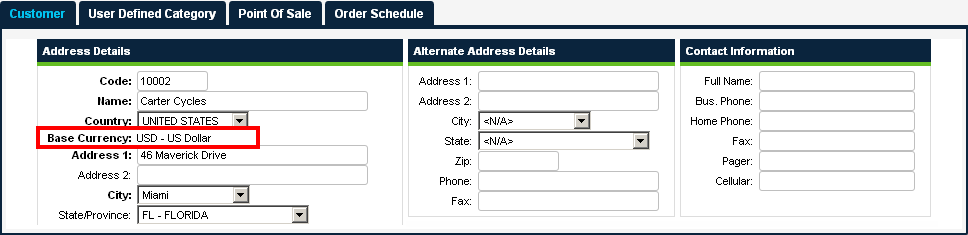
- The location base currency is used as the Customer Base Currency for each customer of a location; customer base currency cannot be changed. (Corporate > Customer)
- The Vendor Base Currency for each vendor is the currency that this vendor uses when submitting bid prices and invoicing purchase orders. It is assigned in the Vendor Details screen. (Purchasing > Vendors)

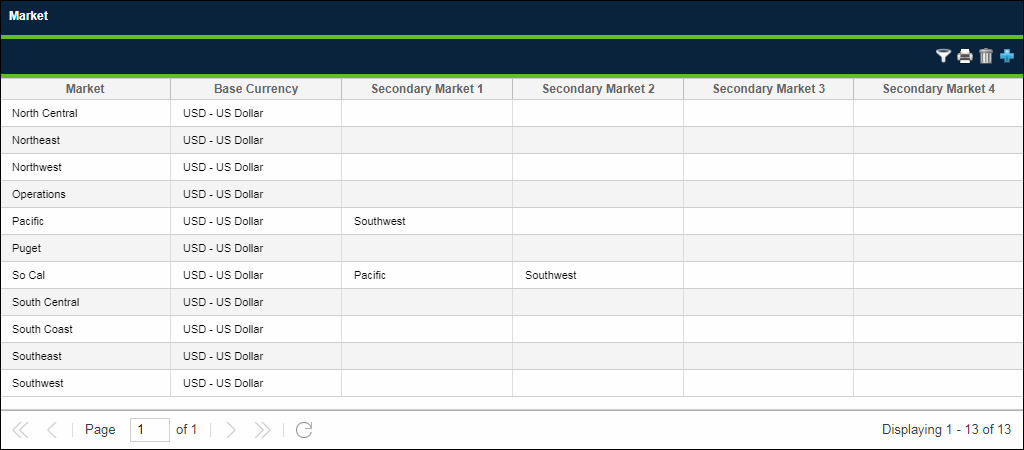
- The Market Base Currency for each market is the currency into which all bid prices in that market are converted for effective bid analysis. It is assigned in the Market screen. (Purchasing > Market) The base currency column on the market setup screen appears only when the "Use Multi-Currency" preference is checked; when visible, it is a required field and the default selection for each market is the corporate base currency.
Note: Since Bid Analysis is done at the corporate location, companies may find it helpful to use the corporate base currency as the base currency for all markets.
 Related Topics